For attorneys and paralegals
Find names and defined terms in long legal documents
Highlighty lets you search for several chosen terms at once and move between their matches. Use it on web pages, searchable PDFs, and scanned English PDFs in the PRO PDF Search workspace.
Install Highlighty from the Chrome Web Store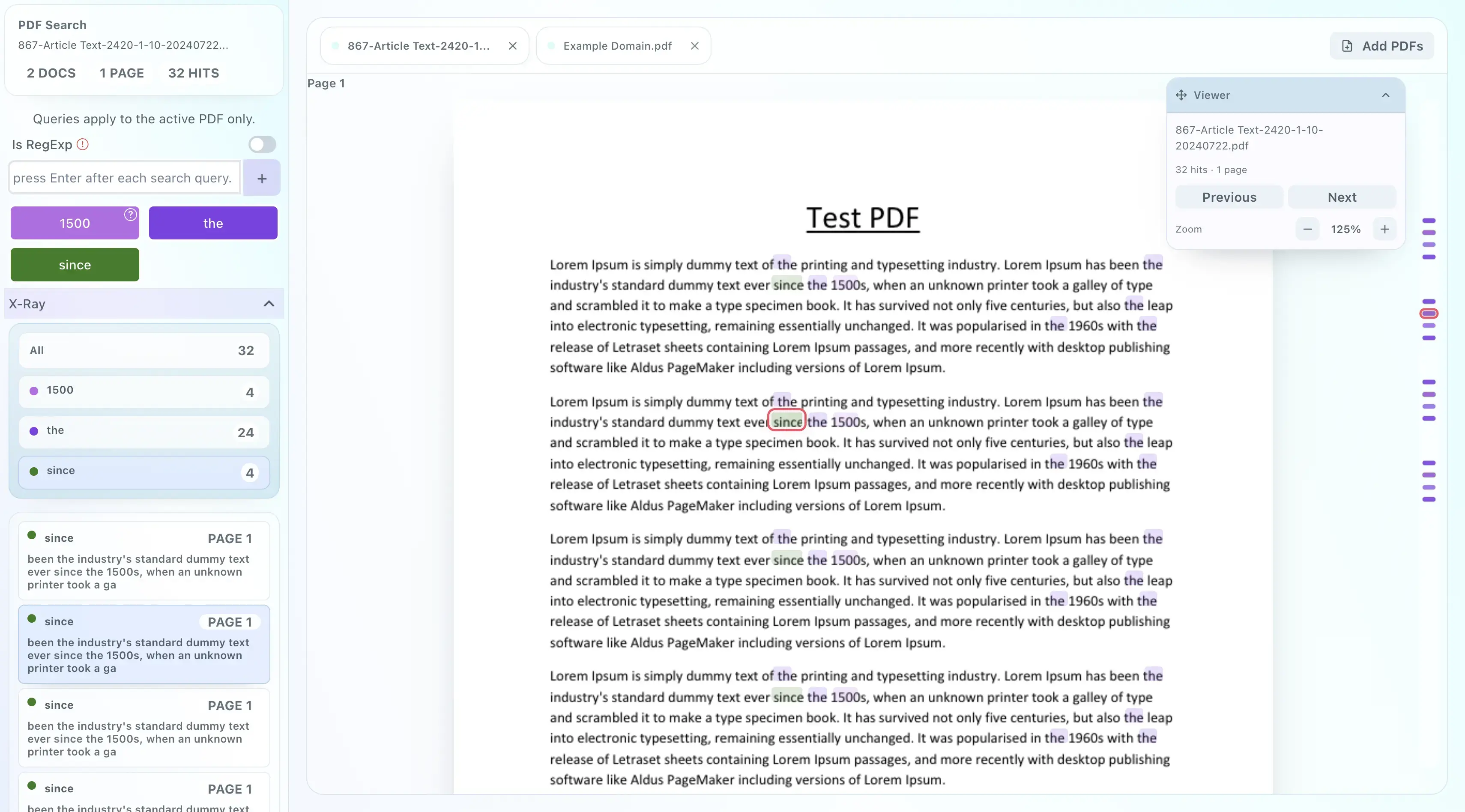
Try it on a document you know
- Start with a short list of party names and terms such as assignment, consent, and change of control.
- Open a web page or, with PRO, a contract in PDF Search. Add the terms and use the different colors to see where each appears.
- Move between matches and read the surrounding language. Reuse the list on another document when the same terms matter.
- For an image-only English PDF, PDF Search runs on-device OCR. Scan quality affects recognition, so check the source page.
Watch an agreement review
See a search across a sample agreement and an image-only scan.
Try it on a fictional agreement
Both sample PDFs repeat assignment, consent, and change of control. Download either file and add it to PDF Search during an active PRO trial or subscription. The files contain no customer information.
The image-only file has no embedded text. OCR recognition depends on scan quality; compare matches with the page image.
Document privacy and limits
Document search and OCR run on your device; the PDF is not uploaded to Highlighty for processing. Account and subscription functions still use Highlighty services.
Highlighty locates text. It does not interpret clauses, find every issue, or replace legal review. Password-protected PDFs are not currently supported.
Start alone, then ask about a team
The free plan covers the core webpage highlighter. PDF Search is part of PRO. Eligible accounts can try a 5-day PRO trial after email verification. See current plan details. An organization license can cover verified users on a licensed work email domain under an annual agreement. If several colleagues want access, email us for a written team quote.
For more examples, read the legal workflow guide or see how local document processing works.